
Guide to Reporting Income Changes Online
This guide is for MNsure-certified brokers, navigators and certified application counselors (CACs) to help consumers report an income change using the online change report forms.
Considerations
When reporting an income change online:
- If the household did not originally apply using the application for financial assistance, they will need to reapply using the Application for Health Coverage and Help Paying Costs before submitting income information.
- Income changes impacting current income cannot be reported more than seven days in advance of the change occurring.
- If an income source that is currently on the application has ended, you will need the date that it ended.
- If employer-sponsored insurance (ESI) is currently on the application and has ended, you will need the date that it ended.
- If the income change includes a gain of ESI, ALL income changes should be reported by phone.
- How will all income sources from this year impact their projected annual income (PAI)?
- If a change is reported to a consumer's current income, then a change should typically be reported to their PAI as well (and vice versa).
- You may need to call the ARC or Broker Service Line with the consumer present in certain cases where the consumer changed employers.
- All the required fields MUST be completed in order for MNsure to process the income change.
Getting Started
After you register to report changes online, log in.
Choose the Change to Income or Projected Annual Income.
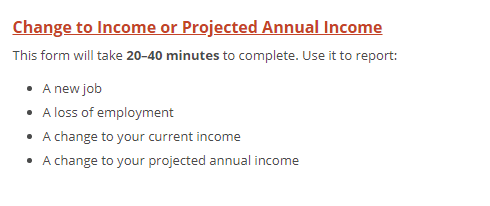
Enter the first name and last name of the consumer experiencing the change (which may or may not be the person reporting the change). Click "Continue."
General Information
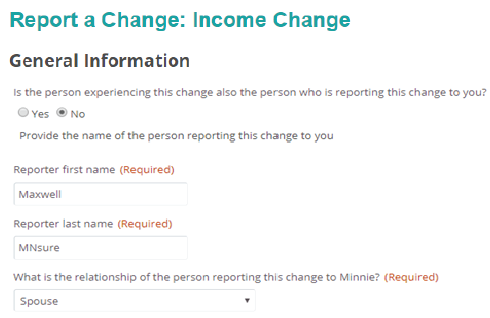
- If the consumer experiencing the income change is the same person reporting the change, answer the first questions as “Yes” and “Self.”
- If the consumer experiencing the change is NOT the person reporting the change, then answer the first question with “No” and the relationship of the person reporting the change will be selected. The example below shows the consumer’s spouse reporting the change to you, the assister.
Residential Address
Enter the consumer's residential address.
About Your Income
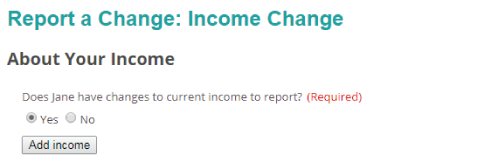
Answer "Yes" to the question “Does [the person] have changes to current income to report” and click the “Add income” button.
Tips for Reporting Different Types of Income Changes
The types of income changes that can be reported are:
- Alimony
- American Indian or Alaskan Native income
- Farm income
- Interest / dividends
- Other taxable income
- Rental or royalty income
- Retirement / pension
- Self-employment
- Social Security benefits
- Taxable scholarships, awards and grants
- Unemployment
- Wages before taxes
New Income
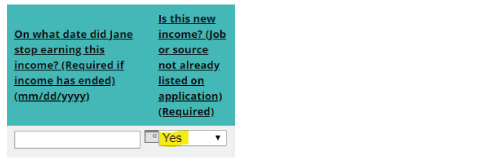
The question, “On what date did [the person] stop earning this income?” should be left blank since this is new income.
The question, “Is this new income?” should be answered “Yes.”
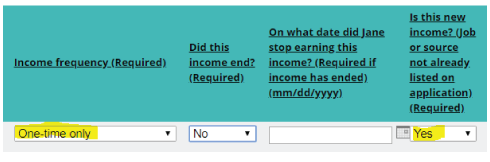
Taxable One-Time Income
The question, “Income frequency (Required),” should be answered “One-time only.”
The question, “Is this new income,” should be answered “Yes.”
Income Change when the Consumer’s Employer has NOT Changed
For example, an increase or decrease in wages at the same job.
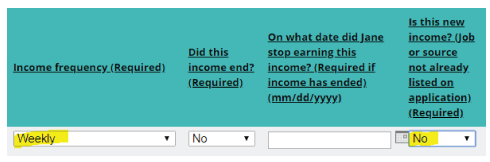
The “Income frequency” drop-down must be answered with the same frequency that is currently on the application. If the frequency on the current application is not known, it will be necessary to contact MNsure Broker Service Line or Assister Resource Center (consumer must be present) to verify this information.
The question, “Is this new income?” should be answered “No.”
New Wages before Taxes Income when the Consumer has Changed Employers
First, it is necessary to end the current income that is showing on the application. If the income on the application from the previous employer is not known, it will be necessary to contact the MNsure Broker Service Line or Assister Resource Center (consumer must be present) to verify this information. Be sure to include the date for when the consumer stopped earning this income.
Then “Add” another income type to report the new income. The question, “Is this new income?” should be answered “Yes.”
The next part of the change is used for the entry of income deductions. Select yes to add or make changes to deductions.
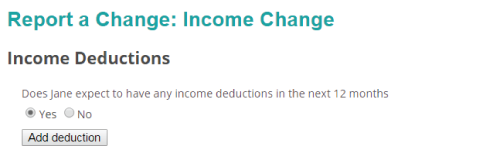
Upon selecting yes, select one of the following from the income deductions drop down:
- Alimony paid
- Certain business expenses of reservists, performing artists and fee basis government officials
- Deductible part of self-employment tax
- Domestic production activities deduction
- Educator expenses
- Health savings account deduction
- IRA deduction
- Moving expenses
- Penalty on early withdrawal of savings
- Self-employed health insurance deduction
- Self-employed SEP, SIMPLE and qualified plans
- Student loan interest deduction
- Tuition and fees
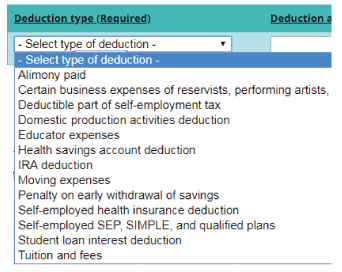
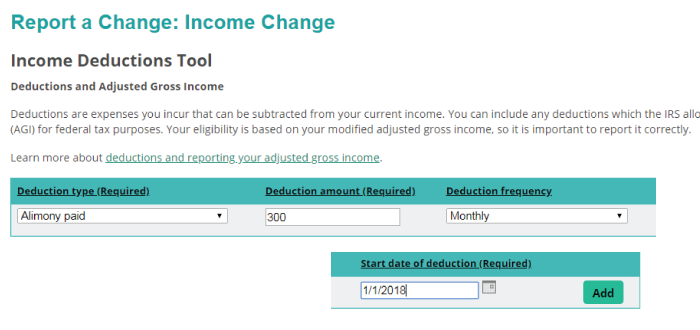
Enter the deduction amount, frequency and start date of the deduction. Then select “Add.” The screenshot below shows an example for adding an alimony paid deduction, with the deduction amount as $300, a deduction frequency as monthly and a start date as 1/1/2018.
Projected Annual Income
The final questions on the income change reporting form are about projected annual income (PAI). Here you will add PAI for the consumer.
Submit the Change
The comment field should ONLY be used to provide clarifying information. Do not use the comment field to try to report the income change information.
Once the change has been submitted an email confirmation will be sent to the email address you (the assister) used when registering to use the online change report forms.